
One platform. Connected operations.

Logic Engine CRM, the product we build and run: clients, partner networks, money, risk and the team behind them, in one system.

Logic Engine CRM operations dashboard with monthly net flow, deposits and withdrawals, and live liquidity provider statistics
The operations dashboard, with sample data.
Scope
Five areas of brokerage work in one CRM
Trading platform
MetaTrader 5, plugin-based account and trading data
Risk
LP equity and margin levels, live in the interface
Access
Staff permissions set by role

Five areas, one system.

What each part of the CRM does, shown on its real screen. Every capture uses sample data; no names or figures come from a client.

Clients & trading accounts

The client record is the spine of the platform. Everything else attaches to it.

Client list
Search, filters, and table, card, list and timeline views.
Registration funnel
Registrations, deposits and KYC for the month, on the dashboard.
Wallets
Wallet value and active wallets at a glance.
KYC documents and staff
In the main navigation, with role-based permissions.
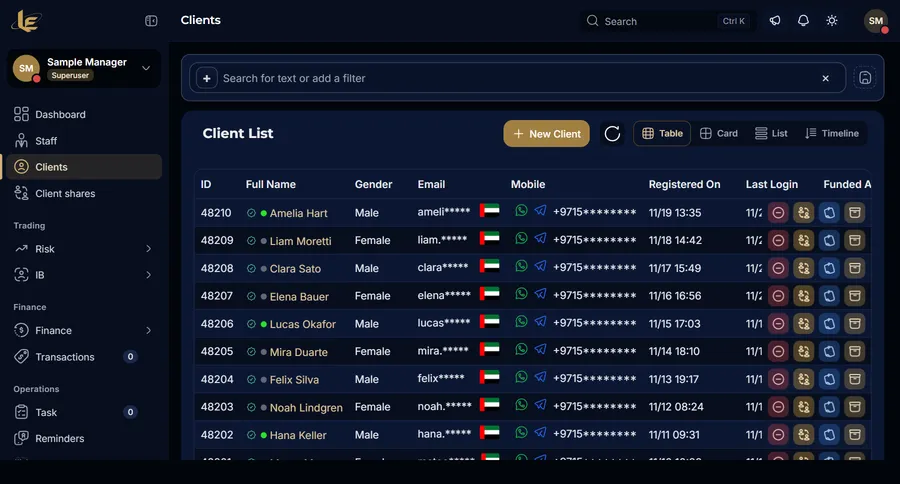
Client list with ID, name, gender, email, mobile, registration and login times
The client list, with registration and last login for each client.

IB networks & rebate management

Partner structures and configurable rules for rebates and commissions.

IB structure & permissions
Manage referral links, account hierarchies and controlled visibility.
Configurable rebate rules
Define commissions using fixed, volume or PnL-based models.
Traceable performance
Follow rebates, lots and financial activity across the network.
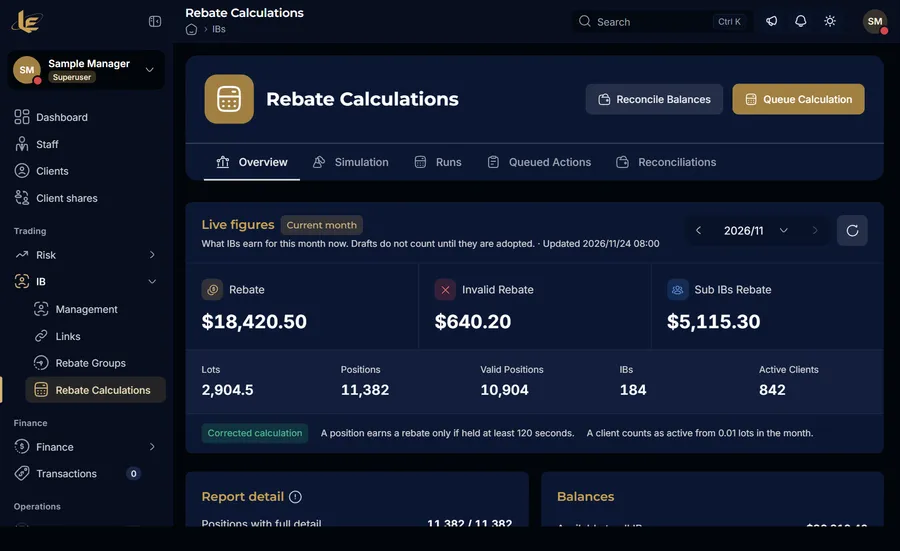
Rebate calculations
Simulation, runs, queued actions and reconciliations, with live figures for the month.
Rebate calculations screen with live figures for rebate, invalid rebate, sub IB rebate, lots, positions, IBs and active clients
Rebate calculations, with live figures for the current month.
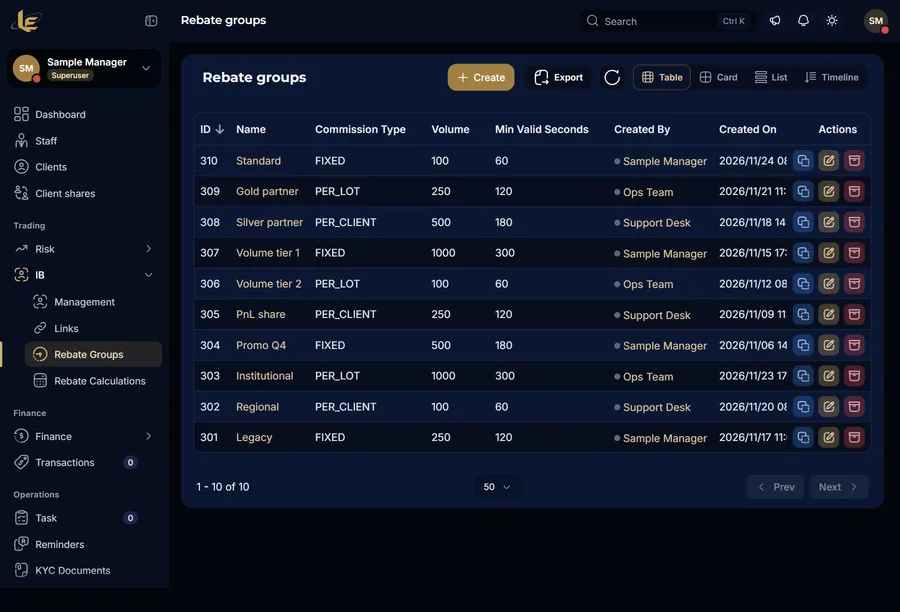
Rebate groups table with name, commission type, volume, minimum valid seconds and creator
Rebate groups: commission type, volume and minimum valid seconds per group.

Finance & wallets

Deposits, withdrawals and internal transfers, visible where the team works.

Deposits and withdrawals
In one transactions list, with search, filters and export.
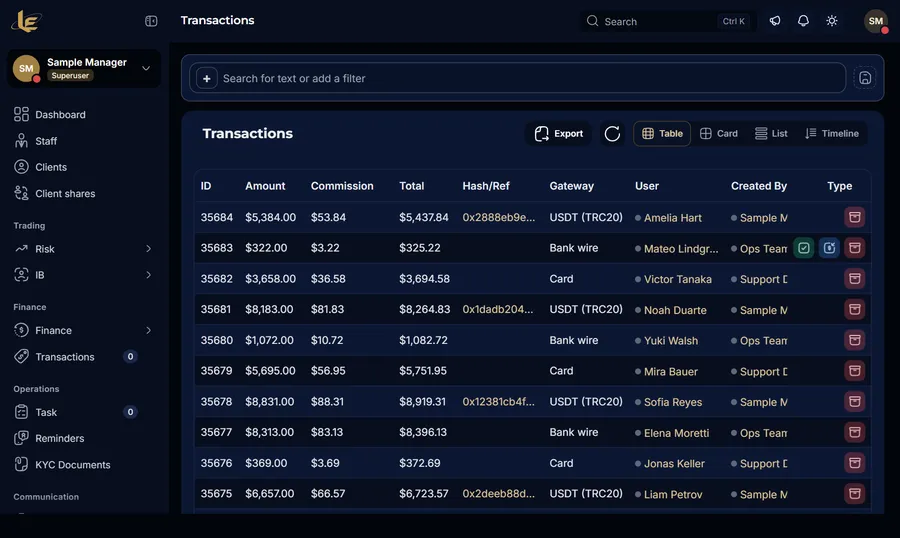
Amount, commission and total
On every line, with reference, gateway, type and status.
Crypto gateways
Alongside other payment methods.
Internal transfers
Tracked next to deposits and withdrawals.
Transactions list with amount, commission, total, reference, gateway, user, type and status
The transactions list: deposits, withdrawals and transfers in one place.

Risk, reporting & oversight

Equity, margin levels and alerts for the people watching exposure.

LP monitor
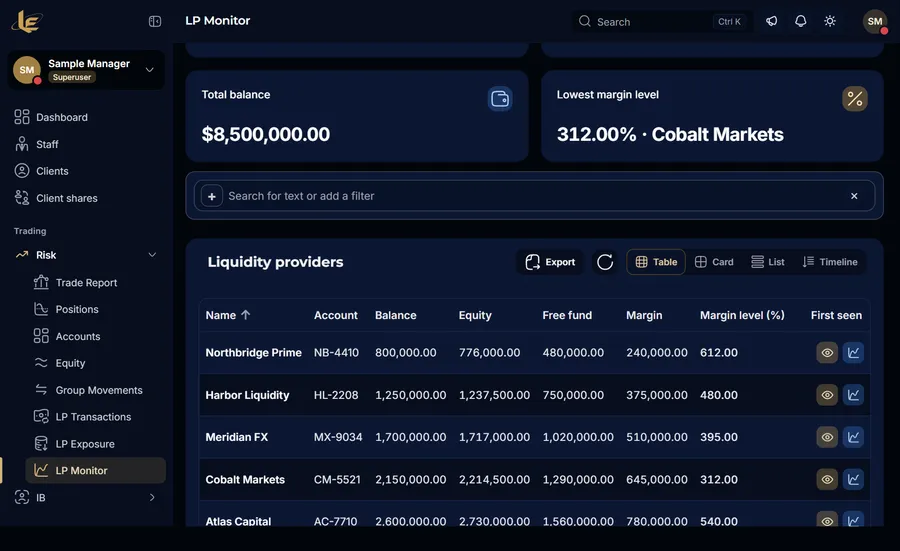
Providers, total equity, total balance and lowest margin level, with alert rules and history.
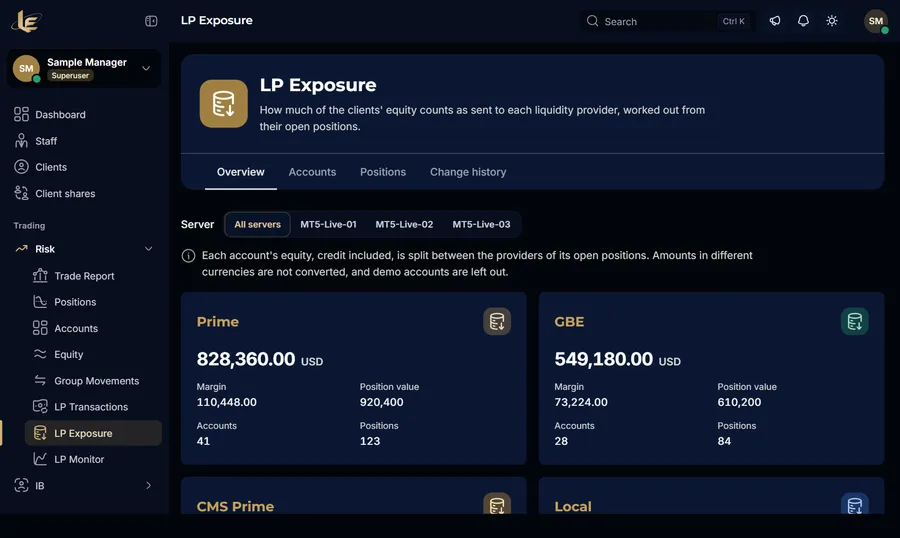
LP exposure
How much of clients’ equity is sent to each liquidity provider.
Equity history
Total equity, credit and balance, and a record per account.
Trade report
MetaTrader trades by period, side, country, IB, account and symbol.
LP monitor showing liquidity providers with balance, equity, free fund, margin and margin level
The LP monitor: balance, equity, free fund and margin level per provider.
LP exposure screen showing the share of client equity sent to each liquidity provider
LP exposure per liquidity provider.

Tasks, support & collaboration

Support, approvals and team workflows in one coordinated system.

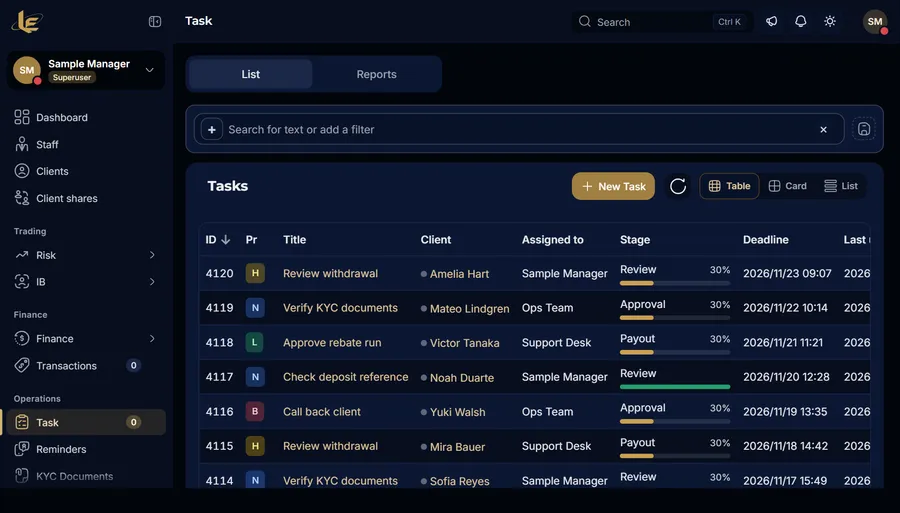
Task management
Table, card or list view with stage, assignee, deadline and status.
Tied to clients
Each task names the client it belongs to.
Communication
Reminders, support, client chat, staff chat and direct calls in one navigation.
Task list with ID, title, client, assignee, stage, deadline, last update and status
Tasks, each tied to a client, with stage, deadline and status.

From onboarding to active trading.

A connected client experience across registration, verification, funding and ongoing service.

  1. Step 1: Register

    New clients appear in the client list, and registrations are counted on the dashboard.

  2. Step 2: Verify

    KYC documents are handled from the main navigation.

  3. Step 3: Fund

    Deposits, withdrawals and transfers land in the transactions list.

  4. Step 4: Trade

    Accounts connect to MetaTrader 5, and risk is watched under Risk.

  5. Step 5: Support

    Tasks, reminders, support and chat keep the service side moving.

MetaTrader 5 connectivity

Plugin-based access to account and trading data, so the CRM works from the same accounts as your trading platform.

The integration scope for your environment is confirmed with you during a demo, not assumed from a web page.

Questions buyers ask.

Not covered here? Ask the team.

Does Logic Engine CRM connect to MetaTrader 5?

Yes. Account and trading data come through a plugin-based MetaTrader 5 connection, so the CRM works from the same accounts as your trading platform. We confirm the integration scope for your environment during a demo.

Can we take only some parts of the platform?

A quote is built from the areas you want: the five areas of work, the client portal and the MetaTrader 5 connection. Pick them in the quote request.

Why is there no public price list?

The right setup depends on what you run today and what you want the CRM to take over. We quote for your case rather than publish numbers that may not fit it.

Can staff see only what their job needs?

Yes. Staff accounts carry role-based permissions, and IB visibility is controlled inside the partner structure.

Are the screens on this page the real product?

Yes. They are captures of Logic Engine CRM filled with sample data. Names and figures are not from any client.

Does it run on staff phones and laptops?

The CRM is a web application and can be installed as one, so staff use it from the browser they already have.

See it work on your process.

Tell us which areas matter most and we will begin there. A live demo adds what screens cannot:

  • Your workflow

    We follow one of your real processes, such as a withdrawal or a partner payout, from start to finish.

  • Your questions

    Ask about permissions, rebate rules or reporting and see the answer in the product.

  • Your setup

    We confirm what fits your environment, including MetaTrader 5 connectivity.